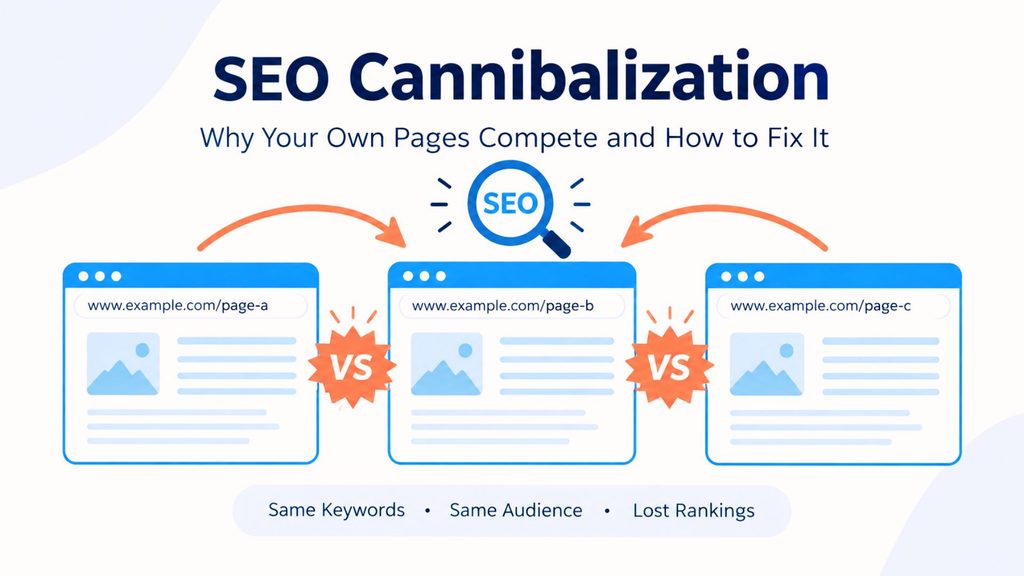
SEO cannibalization happens when multiple pages on the same website target the same or very similar keywords and search intent. Instead of helping each other, these pages may compete for visibility in search results.
This can make it harder for search engines to understand which page should rank for a particular query.
What Is SEO Cannibalization?
SEO cannibalization occurs when two or more pages are optimized for similar keywords or satisfy the same search intent.
For example, a website might have these pages:
- Best SEO Tools
- Top SEO Tools
- Best SEO Tools for Beginners
If all three pages target almost the same keyword and provide similar information, they may compete with one another.
Common Signs of SEO Cannibalization
You may have an SEO cannibalization problem if:
- Different pages rank for the same keyword at different times.
- Your rankings keep changing between two similar pages.
- Multiple pages receive impressions for the same search query.
- A less-important page ranks instead of your preferred page.
- Several pages have very similar content.
- Your backlinks are divided between multiple pages covering the same topic.
- One page loses rankings after another similar page is published.
What Causes SEO Cannibalization?
Several SEO practices can accidentally create keyword cannibalization.
1. Creating Multiple Pages for the Same Keyword
Publishing several articles around nearly identical keywords can cause your own pages to compete with each other.
For example:
- SEO audit
- SEO website audit
- Website SEO audit
These keywords can have very similar search intent.
2. Similar Search Intent
Keywords do not need to be exactly identical to create an overlap.
If two pages answer essentially the same question and satisfy the same user intent, they may compete for similar search queries.
3. Duplicate or Highly Similar Content
Pages containing substantially overlapping information can make it difficult to determine which URL should be the primary result.
Google provides guidance on handling duplicate and similar URLs in its official documentation: Google Search Central: Consolidate Duplicate URLs.
4. Poor Internal Linking
If internal links do not clearly establish the relationship between related pages, search engines may have less context about which page is most important for a particular topic.
5. Creating Too Many Similar Blog Posts
Publishing many articles around almost the same topic can create unnecessary content overlap.
Before publishing a new article, check whether your website already has a page targeting the same topic and search intent.
How to Find SEO Cannibalization
You can identify potential cannibalization by reviewing your website’s search performance.
Google Search Console
Google Search Console is useful for checking:
- Search queries
- Impressions
- Clicks
- Average position
- Pages appearing for specific queries
You can use Google Search Console to analyze which pages are receiving search visibility for your target queries.
If several URLs repeatedly appear for the same important query, investigate whether those pages have overlapping content or search intent.
SEO Tools
SEO platforms such as Ahrefs and Semrush can also help identify multiple URLs ranking for similar keywords.
These tools can make it easier to compare:
- Ranking URLs
- Keyword positions
- Search volume
- Traffic estimates
- Keyword overlap
How to Fix SEO Cannibalization
The right solution depends on why the pages are competing.
1. Merge Similar Pages
If two pages provide almost the same information, consider combining them into one stronger resource.
Potential benefits include:
- More comprehensive content
- Consolidated backlinks
- Stronger topical relevance
- Less competition between your own URLs
For example, instead of maintaining two weak articles about SEO audit, you could combine them into one detailed SEO audit guide.
2. Use a 301 Redirect
After merging pages, a 301 redirect can send users and search engines from the old URL to the preferred page.
This is useful when the old page no longer needs to exist separately.
3. Improve Search Intent Targeting
Give each page a clearly different purpose.
For example:
- SEO Audit: Complete guide to auditing a website
- Technical SEO Audit: Technical problems and solutions
- SEO Audit Checklist: Practical checklist for completing an audit
Although these pages are related, their purposes are different.
4. Strengthen Internal Links
Use internal links to establish a logical relationship between related pages.
For example:
Main SEO Guide → Technical SEO Guide → SEO Audit Checklist
Use natural anchor text that clearly describes the destination page.
5. Use Canonical Tags Carefully
A canonical tag can help indicate the preferred URL when multiple URLs contain duplicate or substantially similar content.
However, canonical tags should not be treated as a quick fix for every keyword cannibalization problem.
The pages should still have a clear purpose and appropriate content strategy.
6. Optimize Pages for Different Keywords
Instead of making every page target the same primary keyword, assign each page a distinct keyword theme.
| Page | Primary Keyword | Search Intent |
|---|---|---|
| SEO Guide | SEO | Informational |
| SEO Audit Guide | SEO audit | Informational |
| SEO Audit Checklist | SEO audit checklist | Practical |
| Technical SEO Guide | technical SEO | Informational |
This helps create a clearer content structure.
SEO Cannibalization vs. Healthy Topic Coverage
Not every situation where multiple pages rank for related keywords is a problem.
A website can have several pages ranking for related searches when each page serves a different search intent.
For example:
- What is SEO?
- How does SEO work?
- How to do SEO?
- SEO checklist for beginners
These pages can coexist because they answer different questions.
The goal is not to make every keyword rank with only one URL.
The goal is to make sure every important page has a clear purpose.
SEO Cannibalization Checklist
Before publishing another article, ask:
- Does my website already have a page covering this topic?
- Is the search intent different?
- Is the primary keyword different?
- Will this article provide genuinely new information?
- Could an existing article be updated instead?
- Do I need to merge two existing pages?
- Which URL should be the main page for this topic?
- Are my internal links pointing users toward the most relevant page?
Final Thoughts
SEO cannibalization can become a problem when multiple pages compete for the same keywords and search intent.
The solution is not always deleting pages. In many cases, the better approach is to:
- Differentiate search intent
- Consolidate overlapping content
- Improve internal linking
- Redirect outdated or unnecessary pages
- Use canonical tags appropriately
- Create a clear keyword strategy
A strong SEO strategy gives every important page a clear role. When your content is organized around distinct topics and search intents, search engines can more easily understand which page is the best match for each search query.